2 Simple Tricks to Instantly Level Up Your Digital Art

2 Simple Tricks to Instantly Level Up Your Digital Art
Hello, fellow creators! ✨ Let's gather 'round the digital easel today, shall we? As artists, we're constantly striving, experimenting, and seeking that little spark that ignites our work. I've spent countless hours lost in the glow of my tablet screen, chasing that elusive something that elevates a piece from "good" to truly captivating. Through all the trials and triumphs (and oh, there have been both!), I've stumbled upon a couple of fundamental tricks that, in their simplicity, hold immense power. And the best part? They're incredibly easy to integrate into your workflow, regardless of your style or skill level. Ready to unlock a new dimension in your digital art? Let's dive in!
These aren't magic spells, mind you (though sometimes it feels that way!). They're more like keys – keys that unlock doors to greater depth, visual intrigue, and overall artistic impact. Forget complicated techniques or fancy software. We're going back to basics, focusing on principles that underpin all great art. Think of it as adding a touch of stardust, a sprinkle of whimsy, a dash of the unexpected.
1. The Magic of Atmospheric Perspective (aka, the "Distance Decoder")
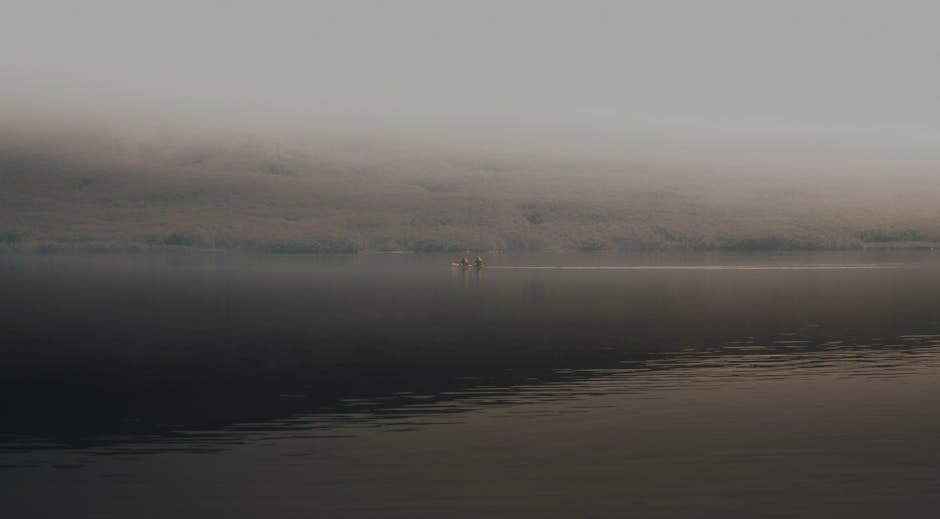
Have you ever stood on a mountaintop and noticed how distant objects seem to fade into a hazy blue? That, my friends, is atmospheric perspective in action! Also known as aerial perspective, it's the visual effect that distance has on objects, and understanding it can completely revolutionize how you portray depth in your digital paintings. It's like imbuing your art with a breath of fresh air, creating a sense of vastness and realism.
Why is this so important? Without atmospheric perspective, even beautifully rendered landscapes can feel flat and lifeless. It's the secret sauce that separates a picture of a mountain from feeling like you're standing on that very mountain, breathing in the crisp, thin air.
Here's the breakdown of how it works:
A. Color Shift: As objects recede into the distance, their colors become less saturated and shift towards a bluish or grayish hue. Think about it: the vibrant green of a tree in the foreground will gradually fade into a cooler, more muted tone as it moves further away. This is due to the scattering of light particles in the atmosphere.
B. Value Change: The contrast between light and shadow decreases with distance. Objects in the foreground have sharper, more defined edges and a greater range of values (lights and darks). As things get further away, the highlights become less bright and the shadows become less dark, resulting in a softer, more blended appearance.
C. Detail Reduction: Obvious, right? We simply can't see all the fine details on distant objects. Think about the individual leaves on a tree far away – you see the overall shape and color, but not the intricate veining. This doesn't mean laziness, but rather, a clever visual cue that screams "DISTANCE!"
Okay, enough theory! Let's get practical. How do you actually do it in your digital art?
a. Start with a base painting. Lay down your initial colors and values, focusing on the overall composition. Don't worry too much about details just yet.
b. Create a new layer (or several!) specifically for atmospheric perspective. This will allow you to experiment without permanently altering your base painting.
c. Choose a suitable color for your atmospheric haze. A soft, light blue or gray is generally a good starting point. Experiment with different hues to find what works best for your scene. Consider the overall mood you want to create – a warmer, more reddish haze can evoke a sense of desert heat, while a cool, bluish haze can suggest a misty mountain range.
d. Use a soft airbrush or gradient tool to apply the haze to the distant objects. Start with a very low opacity and gradually build up the effect. Remember to focus on areas that are furthest away. Less is often more, especially at first.
e. Adjust the color, value, and detail of the distant objects. Desaturate the colors, lighten the values, and soften the edges. You can use adjustment layers (like Hue/Saturation and Levels) to make these changes non-destructively.
f. Refine and adjust. Step back and look at your painting as a whole. Does the atmospheric perspective feel convincing? Are the distant objects blending seamlessly into the background? Make adjustments as needed until you achieve the desired effect.
Pro-tip: Don't overdo it! Too much atmospheric perspective can make your painting look washed out or unnatural. Start subtle and gradually build up the effect until you achieve the right balance. It's about creating a gentle illusion of depth, not completely obscuring the distant objects.
Experiment with different colors and opacities for your atmospheric haze. Try adding subtle variations in color to create a more interesting and realistic effect. For example, you could add a hint of yellow or orange to the haze near the horizon to simulate the effect of sunlight. Play with different brushes and textures to create a more natural and organic feel. A slightly textured brush can add subtle variations in density to the haze, making it look more like real atmospheric particles.
2. Embracing the Power of Negative Space (The "Silent Storyteller")
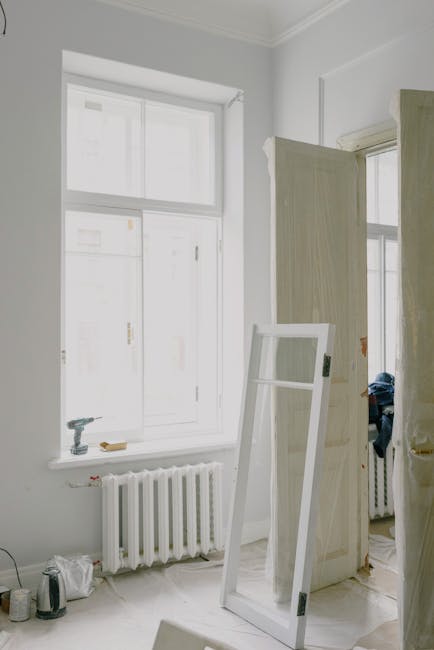
Ah, negative space! Often overlooked, yet possessing the power to completely transform a composition. It's not just the empty area around your subject; it's an active element that shapes the overall visual experience, guiding the viewer's eye and adding depth and meaning to your art. Think of it as the silent storyteller, whispering secrets and enhancing the beauty of what's actually there.
Why is negative space so crucial? Well, imagine a portrait where the subject is crammed into the center of the frame, leaving no breathing room. It feels claustrophobic, doesn't it? Negative space provides that essential breathing room, allowing the eye to rest and appreciate the subject. It can create a sense of balance, harmony, and even mystery.
Here's the core understanding of negative space:
A. Balance and Harmony: Negative space can be used to balance the composition, preventing it from feeling cluttered or overwhelming. It provides a visual counterweight to the positive space (the subject), creating a sense of equilibrium.
B. Emphasis and Focus: By strategically using negative space, you can draw attention to specific areas of your artwork. The eye is naturally drawn to areas of contrast, and a large expanse of negative space can make the subject stand out even more.
C. Movement and Flow: Negative space can guide the viewer's eye through the composition, creating a sense of movement and flow. By carefully shaping the empty areas around your subject, you can lead the eye along a specific path, revealing different aspects of the artwork.
D. Hidden Shapes and Meanings: Sometimes, the negative space itself can form interesting shapes or patterns that add another layer of meaning to the artwork. This is a technique often used in logo design and illustration to create a memorable and impactful image.
Let's make it practical. How do you harness the power of negative space in your digital art?
a. Step back and analyze your composition. Before you even start painting, take a moment to consider the placement of your subject within the frame. Is it too centered? Too close to the edge? Experiment with different arrangements to find the most visually appealing composition.
b. Think of negative space as a shape. Instead of just seeing it as empty area, try to visualize it as a distinct shape with its own contours and lines. How does this shape interact with the shape of your subject? Does it complement it, contrast with it, or create an interesting visual relationship?
c. Experiment with different amounts of negative space. Try filling the frame with your subject, leaving very little empty space. Then, try the opposite – create a composition with a large expanse of negative space surrounding a small subject. Notice how the different amounts of negative space affect the overall mood and impact of the artwork.
d. Use negative space to create a sense of depth. By layering shapes of negative space, you can create the illusion of depth and distance. For example, you could use a series of overlapping rectangles of negative space to suggest a receding row of buildings.
e. Don't be afraid to leave empty space. It's tempting to fill every inch of the canvas with detail, but sometimes the most powerful thing you can do is to leave some areas intentionally blank. This allows the eye to rest and appreciate the subject, and it can also create a sense of mystery and intrigue.
f. Practice, practice, practice! The more you experiment with negative space, the better you'll become at recognizing its potential and using it effectively in your artwork. Try analyzing the compositions of your favorite artists to see how they use negative space to create compelling images.
A playful challenge: Try creating a series of thumbnails focusing solely on the shapes of the negative space. Forget about the subject for a moment and just play with the empty areas. You might be surprised by the interesting and unexpected compositions you discover!
In conclusion, remember, these two "simple" tricks are anything but basic. They are foundational principles that, when mastered, can elevate your digital art to a whole new level. Embrace the magic of atmospheric perspective to breathe life and depth into your landscapes, and wield the power of negative space to create balanced, captivating compositions. Now go forth, my creative companions, and let your imagination soar! Happy creating! 💖
Post a Comment