Digital Art ESSENTIALS For Beginners! A Whimsical Journey into Creative Realms
Digital Art ESSENTIALS For Beginners! A Whimsical Journey into Creative Realms
Hello, fellow art adventurers! Welcome, welcome! If you're reading this, chances are you've felt that irresistible pull – that siren song of the digital canvas, beckoning you to create, to express, to conjure worlds from pixels. And let me tell you, you're in for a treat! Digital art, while it might seem daunting at first, is an incredibly accessible and liberating medium. So, grab your stylus (or mouse!), brew your favorite beverage, and let's embark on this whimsical journey together. This guide is your friendly companion, your creative compass, navigating you through the essential tools and techniques you need to unleash your inner digital artist.
First Steps: Choosing Your Digital Arsenal

Every great adventure begins with gathering the right tools. Think of this as equipping yourself for a creative quest. The good news? You don't need a king's ransom to get started. Let's explore the key players in the digital art world:
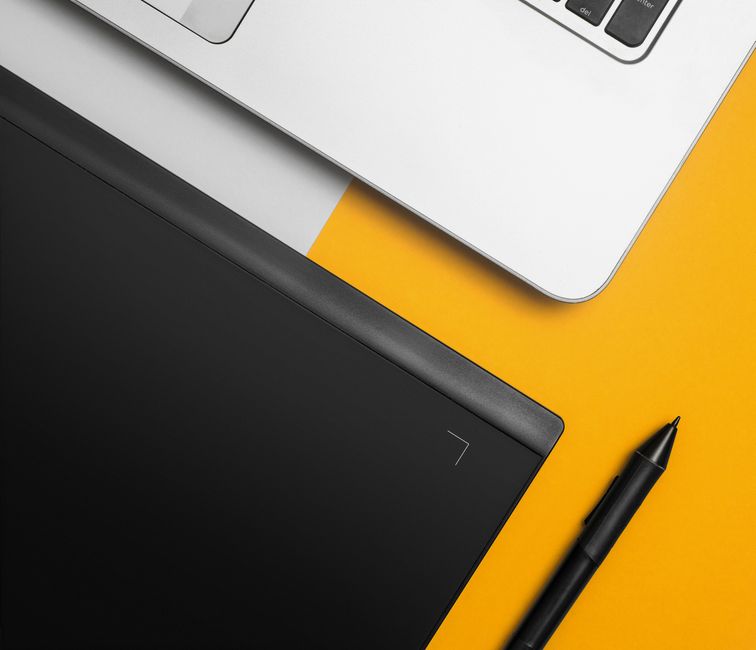
- Drawing Tablet: Your Digital Canvas. This is arguably the most crucial piece of equipment. A drawing tablet allows you to interact with your computer in a way that feels natural and intuitive, like drawing on paper. Think of it as your digital sketchbook.
- Budget-Friendly Options: Wacom Intuos (small), XP-Pen Deco Series, Huion Inspiroy Series. These are fantastic entry-level tablets that offer excellent value for money. They're pressure-sensitive, which means the harder you press, the thicker the line.
- Mid-Range Marvels: Wacom Intuos Pro (medium), XP-Pen Artist Series, Huion Kamvas Series. These tablets often have built-in screens, allowing you to draw directly on the display. This dramatically improves the drawing experience.
- High-End Heavenly Hosts: Wacom Cintiq, iPad Pro with Apple Pencil, Microsoft Surface Pro. These are the top-tier options, offering unparalleled precision, responsiveness, and features. However, they come with a significant price tag.
Tip: Don't feel pressured to buy the most expensive tablet right away! Start with an entry-level option and upgrade as your skills and needs evolve.
- Stylus: The Maestro of Your Creation. Your stylus is your digital pencil, brush, and pen all rolled into one. Choose a stylus that feels comfortable in your hand and has good pressure sensitivity. Most tablets come with a stylus, but you can also purchase them separately.
- Pressure Sensitivity: This is crucial! It allows you to control the thickness and opacity of your lines based on how hard you press. The higher the pressure sensitivity, the more control you have.
- Tilt Support: Some styluses offer tilt support, which allows you to create different effects by tilting the stylus while drawing. This is particularly useful for shading and creating natural brushstrokes.
- Programmable Buttons: Many styluses have programmable buttons that you can customize to perform specific actions, such as undo, redo, or changing brush sizes. This can significantly speed up your workflow.
- Software: The Soul of Your Art. This is where the magic truly happens! Digital art software provides you with a vast array of tools and features to create stunning artwork.
- Free and Fantastic: Krita, MediBang Paint Pro, GIMP. These are excellent free options that offer a surprisingly comprehensive set of features. They're perfect for beginners who want to experiment without spending money.
- Subscription-Based Superstars: Adobe Photoshop, Adobe Illustrator, Clip Studio Paint. These are industry-standard software packages that offer a wide range of advanced features and capabilities. They typically require a monthly or annual subscription.
- One-Time Purchase Wonders: Procreate (iPad only), Affinity Designer, Corel Painter. These offer a one-time purchase option, which can be more cost-effective in the long run.
Tip: Experiment with different software to find the one that best suits your style and workflow. Most software offers free trials, so you can test them out before committing to a purchase.
Understanding the Digital Canvas: Core Concepts

Now that you have your tools, let's delve into the fundamental concepts that underpin digital art. Think of these as the building blocks of your creative masterpieces.
- Resolution: The Clarity of Your Vision. Resolution refers to the number of pixels in an image. Higher resolution images have more pixels, resulting in greater detail and sharpness.
- DPI (Dots Per Inch): This refers to the number of dots (pixels) printed per inch. For print work, aim for at least 300 DPI. For web use, 72 DPI is typically sufficient.
- Pixel Dimensions: This refers to the width and height of the image in pixels (e.g., 1920 x 1080). Choose pixel dimensions that are appropriate for the intended use of your artwork.
- Color Modes: Painting with Pixels. Color modes determine how colors are represented and stored in your digital image.
- RGB (Red, Green, Blue): This is the most common color mode for digital art, used for displaying images on screens.
- CMYK (Cyan, Magenta, Yellow, Key/Black): This color mode is used for print work. Converting your artwork to CMYK can affect the colors, so it's important to be aware of this.
- Grayscale: This color mode uses only shades of gray.
- Layers: Building Your Masterpiece. Layers are like transparent sheets stacked on top of each other. They allow you to work on different elements of your artwork independently, making it easier to edit and adjust your work.
- Creating Layers: Learn how to create new layers in your chosen software.
- Organizing Layers: Name your layers and group them into folders to keep your workspace organized.
- Layer Opacity: Adjust the opacity of layers to create transparency effects.
- Blending Modes: Experiment with different blending modes to create interesting color and lighting effects. (e.g., Multiply, Screen, Overlay)
- Brushes: Your Arsenal of Creative Expression. Digital art software offers a vast array of brushes, each with its own unique characteristics.
- Hard and Soft Brushes: Hard brushes create crisp, defined lines, while soft brushes create softer, more blended lines.
- Textured Brushes: These brushes simulate the look of different textures, such as paper, canvas, or fur.
- Custom Brushes: You can create your own custom brushes to achieve specific effects.
- Brush Settings: Experiment with brush settings such as size, opacity, flow, and hardness.
Essential Techniques: Painting Your Dreams into Reality
Now for the fun part! Let's explore some essential techniques that will help you bring your creative visions to life. Remember, practice makes progress, not perfect. Don't be afraid to experiment and make mistakes – that's how you learn and grow!
- Sketching: The Foundation of Your Artwork. Before you start painting, it's important to create a sketch to plan out your composition and proportions.
- Use Light Lines: Start with light, loose lines that you can easily erase or adjust.
- Focus on Proportions: Pay attention to the relative sizes and positions of different elements in your composition.
- Simplify Shapes: Break down complex objects into simple shapes.
- Color Theory: Painting with Emotion. Understanding color theory is essential for creating visually appealing and emotionally resonant artwork.
- Primary Colors: Red, yellow, and blue.
- Secondary Colors: Green, orange, and purple (created by mixing primary colors).
- Tertiary Colors: Colors created by mixing a primary color with a neighboring secondary color (e.g., red-orange).
- Color Harmony: Use color harmonies (e.g., complementary, analogous, triadic) to create visually pleasing color palettes.
- Color Value: The lightness or darkness of a color.
- Color Saturation: The intensity or purity of a color.
- Shading and Highlighting: Giving Form to Your Creations. Shading and highlighting are used to create the illusion of depth and form in your artwork.
- Light Source: Determine the direction of your light source.
- Shadows: Darker areas that are blocked from the light source.
- Highlights: Brightest areas that are directly illuminated by the light source.
- Midtones: Areas between the shadows and highlights.
- Blending: Creating Smooth Transitions. Blending is used to create smooth transitions between colors and values.
- Soft Brushes: Use soft brushes to blend colors together.
- Smudge Tool: The smudge tool can be used to blend colors and create soft edges.
- Eyedropper Tool: Use the eyedropper tool to select colors and blend them seamlessly.
- Linework: Defining Your Style. Linework can be used to define shapes, add detail, and create a sense of energy in your artwork.
- Varying Line Weight: Use thicker lines for outlines and thinner lines for details.
- Clean Lines: Aim for clean, confident lines.
- Experiment with Different Brushes: Try using different brushes to create different line styles.
Inspiration and Practice: The Keys to Artistic Growth

The most crucial ingredient in your artistic journey is inspiration! Surround yourself with art that moves you, that sparks your imagination, and that makes your heart sing. Visit museums (real and virtual!), browse online art galleries, and follow artists whose work you admire. Don't just passively observe; analyze what makes their art so compelling. What colors do they use? How do they use light and shadow? What kind of compositions do they create?
And finally, practice, practice, practice! The more you practice, the more comfortable you'll become with your tools and techniques, and the more your artistic voice will emerge. Don't be afraid to experiment, to try new things, and to make mistakes. Every artwork is a learning opportunity. Set aside time each day or week to create art, even if it's just for a few minutes. Consistency is key! Remember, the journey of a thousand paintings begins with a single stroke. So, embrace the joy of creating, and let your imagination run wild!
Happy creating, my friends! May your digital canvases be filled with vibrant colors, captivating stories, and endless possibilities!
Post a Comment