Digital Art ESSENTIALS For Beginners! A Whimsical Guide
Digital Art ESSENTIALS For Beginners! A Whimsical Guide
Hello fellow art explorers! Ever felt that creative spark ignite within you, urging you to paint worlds unseen, sculpt dreams into reality, but… digitally? Well, you've come to the right place. Welcome to my little corner of the internet, where we'll unravel the enchanting world of digital art, especially for those just starting their magnificent journey. Forget the intimidation; let's embrace the boundless possibilities!
This isn't just a tutorial; it's an invitation. An invitation to unlock your inner artist, to play with pixels, and to discover the sheer joy of creating something truly unique. We'll cover the essentials, demystify the jargon, and most importantly, inspire you to leap into this vibrant medium with confidence and a sprinkle of magic.
Why Choose Digital Art?
Why indeed! Traditional art has its undeniable charm (and I adore it!), but digital art offers a playground of flexibility and innovation that's hard to resist. Here's why so many are drawn to it:
a. Endless Undo: Ah, the Ctrl+Z (or Cmd+Z) savior! Make a mistake? No problem! Experiment fearlessly knowing you can always undo your last action (or several!). This alone is a game-changer for beginners.
b. Versatility Unleashed: From painting and drawing to photo manipulation and 3D modeling, digital art encompasses a staggering range of styles and techniques. There's truly something for everyone.
c. Cost-Effective Creativity: Initially, there might be some investment, but think about it! No more constantly buying paints, brushes, canvases, or palettes. Many software options offer free trials or affordable subscription models.
d. Portability Power: Imagine carrying your entire art studio in a laptop or tablet! Create on the go, during your commute, or even while sipping coffee at your favorite café.
e. Sharing is Caring: Instantly share your creations with the world! Get feedback, build a community, and showcase your talent with ease.
f. Explore New Horizons: Digital art opens doors to exciting fields like animation, game development, graphic design, and so much more. It's a fantastic skill to have in today's creative landscape.
Essential Equipment: Your Digital Canvas
Now, let's talk tools! Don't feel pressured to buy the most expensive gear right away. Start simple and upgrade as your skills and needs evolve.
1. The Drawing Tablet: Your Digital Brush
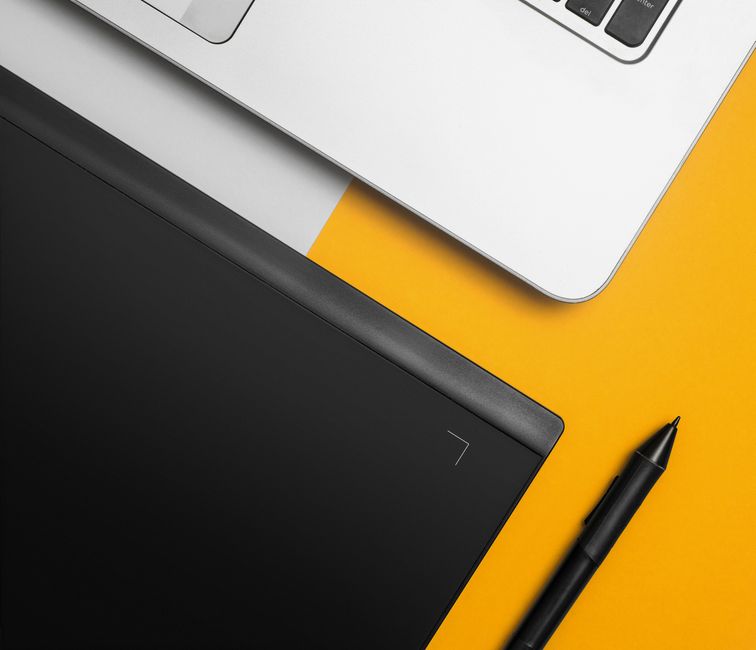
The cornerstone of digital art! A drawing tablet allows you to draw directly onto a surface that translates your strokes onto your computer screen.
a. Graphics Tablet with Screen: These tablets have a built-in display, so you're drawing directly on what you see. Wacom Cintiq is a popular (but pricier) option. Huion and XP-Pen offer more budget-friendly alternatives.
b. Graphics Tablet without Screen: These are more affordable. You draw on the tablet while looking at your computer monitor. It takes some getting used to, but it's a great entry point. Wacom Intuos and Huion Inspiroy are excellent choices.
c. iPad with Apple Pencil: If you already have an iPad, the Apple Pencil is a fantastic option! It's incredibly responsive and intuitive. Paired with apps like Procreate, it's a powerful creative tool.
Key features to consider when choosing a tablet: Pressure sensitivity (determines how thick or thin your lines are), resolution (sharpness of the display if it has one), and size (choose one that feels comfortable for your drawing style).
2. The Computer: Your Digital Studio
Your computer is the engine that powers your digital art journey.
a. Desktop vs. Laptop: Desktops generally offer more processing power for the price, while laptops provide portability. Choose based on your needs.
b. Operating System: Both Windows and macOS are perfectly suitable for digital art.
c. RAM: Aim for at least 8GB of RAM, but 16GB is recommended for larger projects and smoother performance.
d. Processor: A fast processor (Intel Core i5 or AMD Ryzen 5 or better) will ensure your software runs smoothly.
e. Storage: A Solid State Drive (SSD) is crucial for fast loading times. Consider a larger drive if you plan to work with large files.
3. The Software: Your Digital Palette
This is where the magic truly happens! Here are a few popular options:
a. Adobe Photoshop: The industry standard for photo editing and digital painting. It's powerful but can be overwhelming for beginners. It requires a subscription.
b. Clip Studio Paint: Specifically designed for illustration, comics, and animation. It's a fantastic choice for artists who want a dedicated drawing and painting program. It offers both a one-time purchase and a subscription model.
c. Procreate (iPad): An incredibly intuitive and powerful painting app for iPad. It's a joy to use and packed with features. It's a one-time purchase.
d. Krita: A free and open-source digital painting program. It's a fantastic alternative to Photoshop and offers a wide range of features.
e. Autodesk Sketchbook: Another free and intuitive drawing program. It's perfect for sketching and concept art.
Experiment with different software to find the one that best suits your style and workflow. Many offer free trials!
Digital Art Fundamentals: Building Your Foundation
Just like traditional art, digital art relies on fundamental principles. Understanding these will elevate your work significantly.
1. Composition: Guiding the Viewer's Eye
Composition is the arrangement of elements within your artwork. It's how you guide the viewer's eye and tell a story.
a. Rule of Thirds: Divide your canvas into a 3x3 grid and place key elements at the intersections or along the lines.
b. Leading Lines: Use lines to draw the viewer's eye towards the focal point.
c. Balance: Create a sense of equilibrium in your artwork, either symmetrical or asymmetrical.
d. Focal Point: Establish a clear center of interest that draws the viewer's attention.
2. Color Theory: The Language of Colors
Understanding how colors interact is essential for creating visually appealing and emotionally resonant artwork.
a. Color Wheel: Learn the relationships between primary, secondary, and tertiary colors.
b. Color Harmony: Explore different color schemes like complementary, analogous, and triadic.
c. Value: The lightness or darkness of a color. Value contrast is crucial for creating depth and dimension.
d. Saturation: The intensity of a color. High saturation colors are vibrant, while low saturation colors are muted.
3. Perspective: Creating Depth and Realism
Perspective is the art of representing three-dimensional objects on a two-dimensional surface.
a. One-Point Perspective: All lines converge at a single vanishing point on the horizon line.
b. Two-Point Perspective: Lines converge at two vanishing points on the horizon line.
c. Three-Point Perspective: Lines converge at three vanishing points, creating a more dramatic and dynamic perspective.
4. Anatomy and Form: Bringing Characters to Life
If you plan to draw characters, understanding anatomy is crucial.
a. Study Anatomy: Learn the basic skeletal and muscular structure of the human body.
b. Simplify Forms: Break down complex shapes into simpler geometric forms like cubes, spheres, and cylinders.
c. Practice Gesture Drawing: Capture the essence of a pose quickly and loosely.
5. Light and Shadow: Adding Depth and Dimension
Light and shadow are essential for creating the illusion of depth and form.
a. Understand Light Sources: Determine the direction and intensity of your light source.
b. Identify Shadows: Cast shadows are created by objects blocking the light. Form shadows are created on the object itself as it curves away from the light source.
c. Highlights: The brightest areas of an object where light is hitting directly.
Tips and Tricks for Digital Art Beginners
Alright, let's sprinkle in some practical tips to help you navigate the digital art landscape with ease!
a. Master the Layers: Layers are your best friend in digital art! Use them to separate different elements of your artwork and make edits without affecting other parts.
b. Embrace the Brushes: Experiment with different brushes to achieve various textures and effects. Most software offers a wide range of brushes, and you can even create your own!
c. Learn Keyboard Shortcuts: Keyboard shortcuts will significantly speed up your workflow. Learn the essential ones for your chosen software.
d. Zoom In and Out: Don't be afraid to zoom in and out to check your work at different scales.
e. Use Reference Images: Reference images are invaluable for learning anatomy, perspective, and color theory.
f. Practice Regularly: The more you practice, the better you'll become! Even short, consistent practice sessions are more effective than long, infrequent ones.
g. Don't Be Afraid to Experiment: Try new techniques, brushes, and styles. Don't be afraid to make mistakes! That's how you learn.
h. Join a Community: Connect with other artists online or in person. Share your work, get feedback, and learn from others.
i. Be Patient: Learning digital art takes time and effort. Don't get discouraged if you don't see results immediately. Keep practicing and you'll eventually reach your goals.
j. Have Fun!: Most importantly, enjoy the process of creating art! Let your imagination run wild and don't be afraid to express yourself.
Your Creative Journey Begins Now!
And there you have it, my friends! A whirlwind tour of the digital art essentials for beginners. Remember, this is just the beginning of your artistic adventure. The most important thing is to start creating, experimenting, and having fun. Don't be afraid to break the rules, find your own style, and let your creativity shine.
So, grab your tablet, fire up your software, and let your imagination soar! The digital canvas awaits your unique touch. Happy creating! And remember, art isn't just about skill; it's about expressing your soul. Go forth and paint your dreams into reality!
Post a Comment