Learning to Draw Digitally: A Beginner's Journey into the Digital Canvas
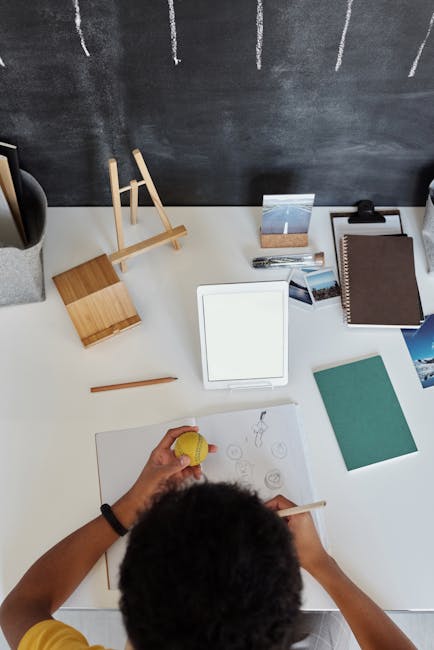
Learning to Draw Digitally: A Beginner's Journey into the Digital Canvas
Hey there, fellow art explorers! Ever dreamt of swirling digital brushes across a screen, crafting worlds with the tap of a pen, and breathing life into characters without ever touching a drop of paint (or making a mess!)? Well, buckle up, buttercup, because we're diving headfirst into the magical realm of digital art! This guide is specially crafted for all you eager beginners itching to unleash your inner digital Da Vinci. Prepare to be amazed at how accessible and utterly addictive digital drawing can be.
Think of this journey as learning a new language – the language of pixels! It might seem daunting at first, but with a little patience, a dash of curiosity, and a whole lot of practice, you'll be speaking fluent digital art in no time. Let's unravel the mysteries and transform those blank screens into vibrant masterpieces.
Why Choose Digital Art? A Symphony of Possibilities
Before we delve into the 'how,' let's whisper a word about the 'why.' Why should you, a perfectly sane human being, choose to embrace the digital easel? Oh, let me count the ways!
a. Undo is Your Best Friend: Forget about endless erasers and starting over! Digital art provides the glorious gift of the "undo" button. A misplaced line? A rogue shade? Gone with a click! It's the ultimate safety net for the creatively adventurous. b. Infinite Mediums, Zero Mess: Imagine having access to every art supply imaginable without cluttering your workspace. Watercolors, oils, charcoal, pencils – they're all just a click away. Plus, no more cleaning brushes! Hallelujah! c. Experimentation Without Fear: Digital art encourages fearless experimentation. Try out different styles, color palettes, and techniques without wasting precious materials. It's a playground for creative exploration. d. Portability and Accessibility: Create art on the go! With a tablet and stylus, your studio is wherever you are – on a train, in a coffee shop, or even lounging in your pajamas. The world becomes your canvas! e. Sharing and Collaboration: Digital art makes it incredibly easy to share your work with the world. Post it on social media, create online portfolios, or even collaborate with artists across the globe.
Gathering Your Digital Toolkit: Gear Up for Greatness!
Now that we've established the allure of digital art, let's talk tools. Don't worry, you don't need to break the bank to get started. Here's a rundown of the essential equipment:
1. Drawing Tablet: This is your digital canvas. There are two main types:
a. Graphics Tablets (Without a Screen): These connect to your computer and you draw on the tablet while looking at your monitor. They take a bit of getting used to, as you're drawing in one place and seeing the result in another. Wacom Intuos is a popular and reliable choice for beginners. b. Pen Displays (With a Screen): These are tablets with a built-in screen that allows you to draw directly onto the image. They offer a more natural drawing experience. Wacom Cintiq and Huion Kamvas are well-regarded options, though they tend to be pricier. Consider an iPad with an Apple Pencil as a versatile alternative.
2. Stylus: Your digital pencil! Most tablets come with a stylus, but you can also purchase them separately. Look for a stylus with pressure sensitivity, which allows you to vary the thickness and opacity of your lines based on how hard you press.
3. Computer or Tablet: You'll need a device to run your art software. A laptop or desktop computer works well for graphics tablets, while a tablet like an iPad is perfect for pen displays.
4. Art Software: The digital paintbrushes and canvases! There's a plethora of software options available, both free and paid. Here are a few popular choices:
a. Free Options: i. Krita: A powerful, open-source painting program with a wide range of features, perfect for illustration and concept art. ii. MediBang Paint Pro: A lightweight and user-friendly option, especially popular for manga and comic art. iii. Autodesk Sketchbook: A streamlined sketching app, great for quick ideas and on-the-go drawing.
b. Paid Options: i. Adobe Photoshop: The industry standard for photo editing and digital painting. It's feature-rich and versatile, but can be overwhelming for beginners. ii. Clip Studio Paint: Designed specifically for illustration, comic art, and animation. It offers a wealth of tools and resources for artists. iii. Procreate (iPad only): A powerful and intuitive painting app that's perfect for creating stunning artwork on the iPad.
Navigating the Digital Canvas: Understanding the Basics
Alright, you've got your tools, now let's learn how to use them! Don't be intimidated by the software interface. Most programs share similar fundamental concepts:
1. Layers: Think of layers as transparent sheets of paper stacked on top of each other. You can draw on each layer independently, allowing you to separate different elements of your artwork (e.g., line art, colors, shading). This makes editing and adjustments much easier.
2. Brushes: Digital art programs offer a vast array of brushes, each mimicking different real-world mediums like pencils, watercolors, and airbrushes. Experiment with different brushes to find your favorites. Adjust brush size, opacity, and flow to achieve different effects.
3. Color Palette: Choose your colors wisely! Most programs have a color picker that allows you to select hues, saturation, and value. Experiment with different color schemes to create mood and atmosphere.
4. Zooming and Navigation: Learn how to zoom in and out and pan around your canvas. This allows you to work on details and get a better overall view of your artwork.
5. File Formats: Save your work in different file formats depending on your needs. a. .PSD (Photoshop Document): Preserves layers and editing information. b. .JPG (Joint Photographic Experts Group): A compressed format suitable for sharing online. c. .PNG (Portable Network Graphics): A lossless format that preserves image quality, ideal for artwork with transparency.
First Strokes: Beginner Exercises to Spark Your Creativity
Okay, enough theory! Let's get our hands dirty (or, pixelated). Here are a few exercises to help you get comfortable with digital drawing:
1. Line Control: Practice drawing straight lines, curved lines, and circles. Focus on achieving smooth, confident strokes. Experiment with different brush sizes and pressure sensitivity.
2. Shape Studies: Draw basic geometric shapes like cubes, spheres, and cylinders. Pay attention to perspective and shading to create the illusion of depth.
3. Value Scales: Create a value scale, ranging from pure black to pure white, with smooth gradations in between. This will help you understand how light and shadow work.
4. Simple Object Drawings: Draw everyday objects like a coffee cup, a book, or a piece of fruit. Focus on capturing the form and proportions of the objects.
5. Gesture Drawing: Practice drawing quick, gestural sketches of people or animals. Capture the essence of the pose and movement. Don't worry about details, just focus on the overall flow.
Level Up Your Skills: Tips and Tricks for Aspiring Digital Artists
Ready to take your digital art skills to the next level? Here are some tips and tricks to help you on your journey:
a. Practice Regularly: Just like any skill, digital art requires consistent practice. Even dedicating just 30 minutes a day to drawing can make a huge difference. b. Study the Masters: Look at the work of your favorite artists, both traditional and digital. Analyze their techniques, color palettes, and compositions. c. Experiment with Different Styles: Don't be afraid to try new things! Explore different art styles, like realism, cartooning, and abstract art. d. Use Reference Images: Reference images are your friend! Use them to help you with anatomy, perspective, and lighting. e. Learn Keyboard Shortcuts: Mastering keyboard shortcuts can significantly speed up your workflow. f. Join Online Communities: Connect with other artists online! Share your work, get feedback, and learn from others. g. Don't Be Afraid to Make Mistakes: Mistakes are part of the learning process. Don't get discouraged when things don't go as planned. Learn from your mistakes and keep practicing. h. Watch Tutorials: YouTube is a treasure trove of digital art tutorials. Find artists whose work you admire and watch their videos. i. Create a Dedicated Workspace: Having a dedicated workspace can help you focus and get into the creative flow.
Embrace the Journey: The Joy of Digital Creation
Learning digital art is a journey, not a destination. There will be ups and downs, moments of frustration, and moments of pure joy. The key is to embrace the process, experiment fearlessly, and never stop learning.
Remember that every artist starts somewhere. Don't compare yourself to others, focus on your own progress, and celebrate your achievements along the way. Digital art is a powerful tool for self-expression and creativity. Use it to tell stories, share your vision, and bring your imagination to life.
So, grab your stylus, fire up your software, and let your creativity soar! The digital canvas awaits. Happy drawing, my friends! And remember, the world needs your art. Go out there and make it!
Post a Comment